Step 2: Extract it with Winrar or Winzip to a folder on the desktop. You may need to rename the firmware file from .ipsw to .zip to be able to extract.
Step 3: Open buildmanifest.plist file from the extracted files using Notepad (for Windows) or TextEdit (for Mac OS X). Also, open restore.plist file and again replace all 8A306 with 8A400. Save this file too.
Step 4: Now download iOS 4.0.2 and extract it using Winrar or Winzip.
Step 5: Drag all files extracted files from iOS 4.0.1 and replace them with all files of iOS 4.0.2.
Step 6: Delete all ".dmg" files that end with 002 leaving files that end with 001. Then zip the new customized firmware and change it to ".ipsw" file, for example "downgrade.ipsw".
Step 7: This step is option, it helps you to ensure you get an SHSH file request for the future, but should not be necessary to just restore 4.0.1
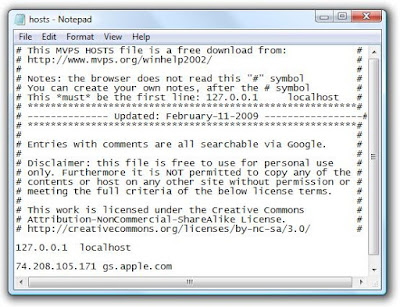
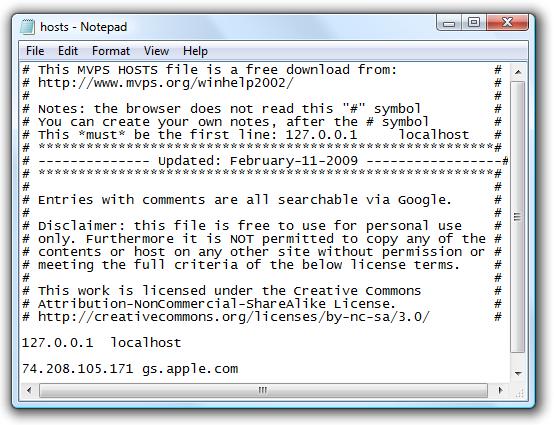
Locate "C:\Windows\System32\drivers\etc\" for Windows and "/etc/" directory for Mac, then locate “hosts” file and Open it in Notepad (for Windows) or TextEdit (for Mac OS X) then add this line at the bottom of the file and save it. 74.208.105.171 gs.apple.com


댓글 (3)
내가 원하는건3.13이나 3.12니까